Azure Iot / Dashboard & Mobile Monitoring
Enhancing Management of Production Lines
Alongside 4 designers in collaboration with Microsoft, I designed an AI-powered dashboard for remote management of physical production lines to enhance error detection. The first three months focused on desktop solutions while the latter 3 months explored new user pain points in a mobile application. During this project, I focused on the remote monitoring experience within the mobile app and led the design-to-engineering handoff.
Role
Product Designer
Team
Elisha Jeon
Emily Hao
Sahal Abdi
& Thomas Emnetu
Duration
6 months
Skills
UX/UI,
Product Strategy,
Research,
Prototyping
The Challenge
How might we design AI-powered features to improve error detection across physical production lines?
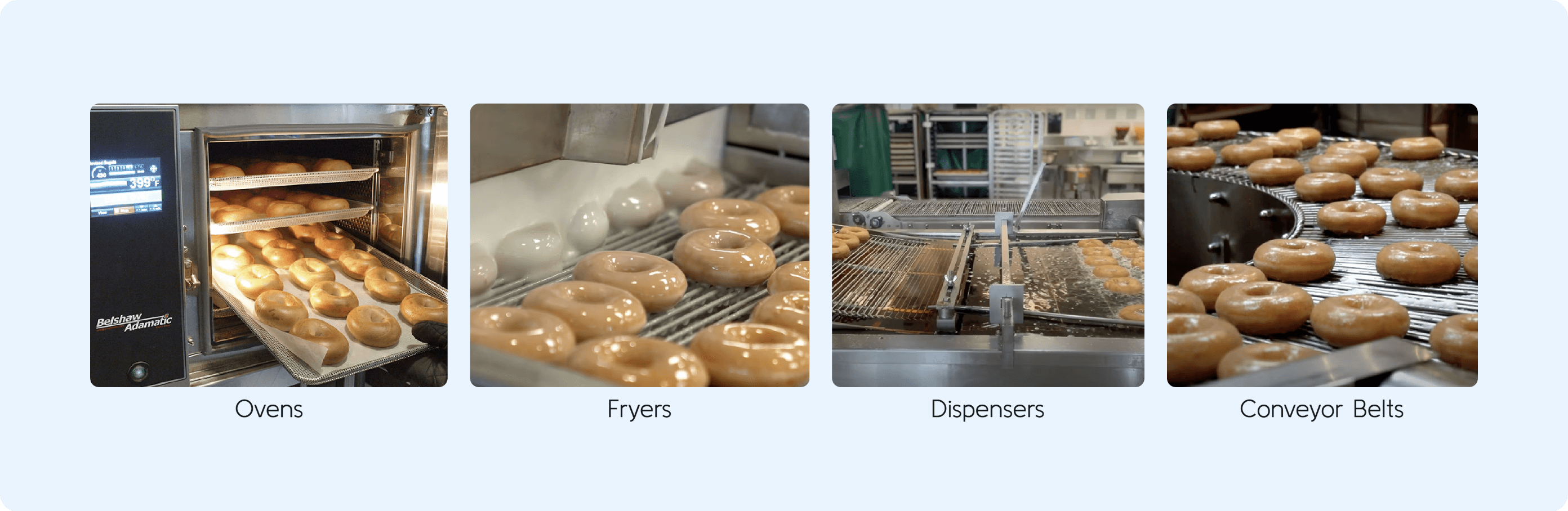
Background
Operation Technicians (OTs) manage thousands of factory machines everyday.
Problem
This amount of information easily leads to cognitive overwhelm and decision paralysis, preventing OTs from quickly identifying and addressing urgent issues.
Opportunity
This revealed an opportunity to design a dashboard that not only reduced cognitive overload, but also helped OTs quickly identify actionable insights.
Goal
How might we design AI-powered features to reduce cognitive overwhelm so that Operation Technicians can easily and quickly identify and address urgent issues?
Goals
What’s Needed to Improve Error Detection?
Clarity
Reduce cognitive load and enable rapid understanding.
OTs manage over 1,000 machines daily, and notifications flooding the dashboard creates cognitive overload.
Priority
Guide OTs toward the best immediate action.
Current notifications lack urgency and make next steps unclear.
On-the-go Monitoring
Enable real-time monitoring from anywhere.
Desk-based monitoring limits OTs’ ability to oversee machines beyond their workstation.
Solution
Copilot AI Integrated Dashboard
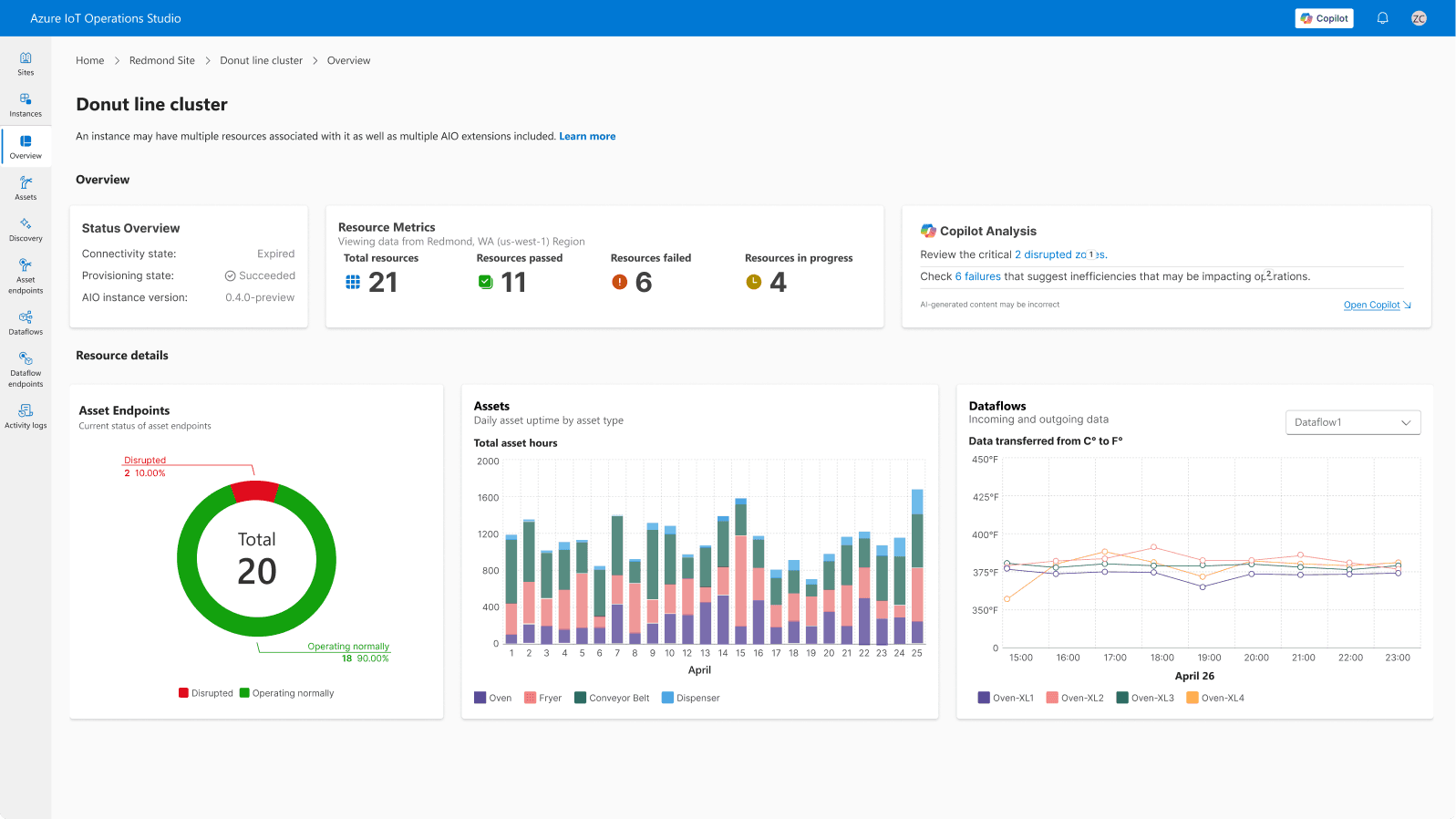
Quick Glance Insights
Live data widgets provide real-time status updates, eliminating the need to sift through raw data or navigate multiple screens.
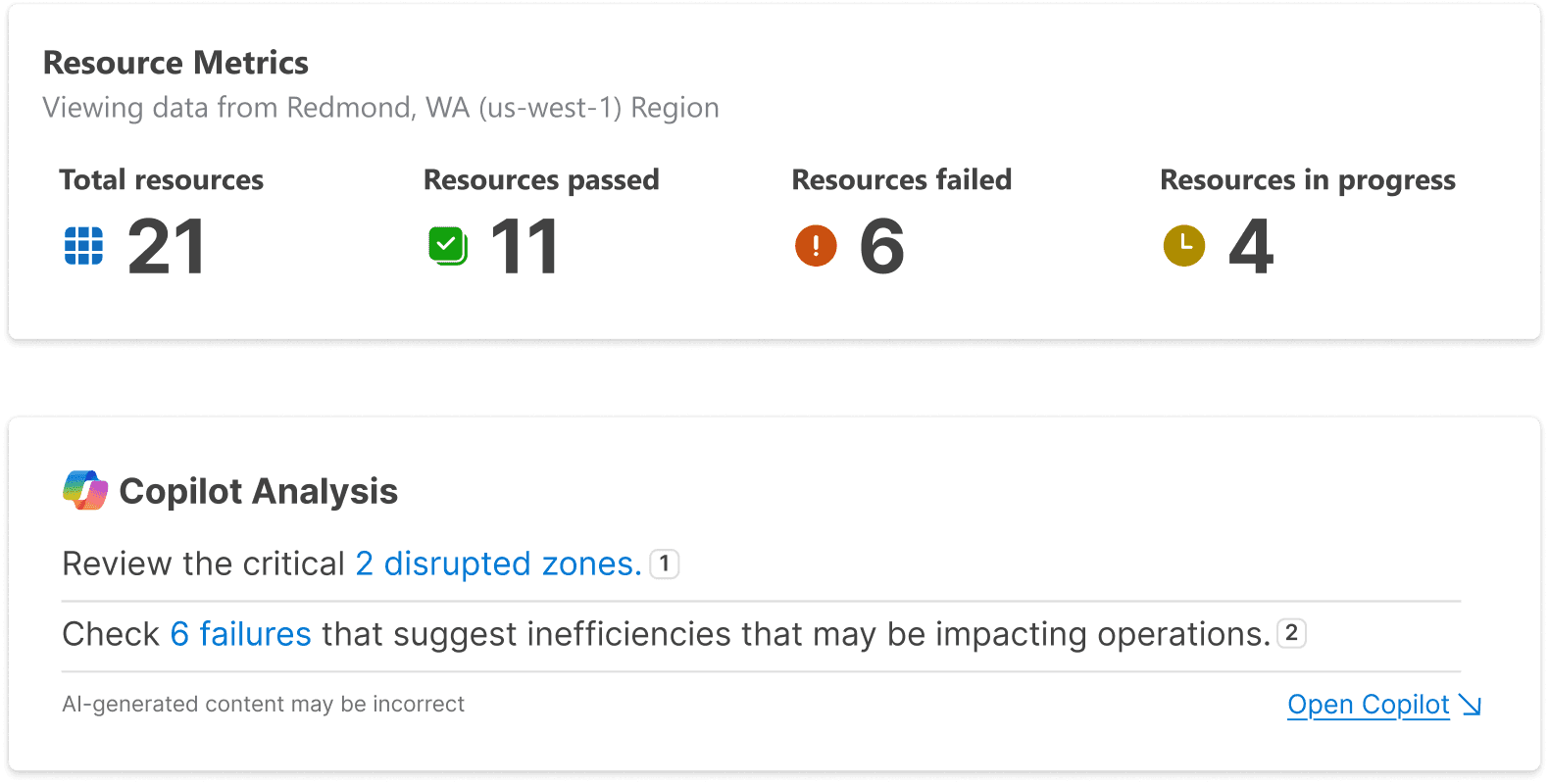
Rapid Decision Making
AI summary widgets help OTs make quick decisions amid large volumes of data and errors.
Copilot AI Turns Data into Decisions
Users can select a widget to ask Copilot AI questions to receive recommended next steps. No manual data sorting required.
Mobile
Decisions Beyond the Desk
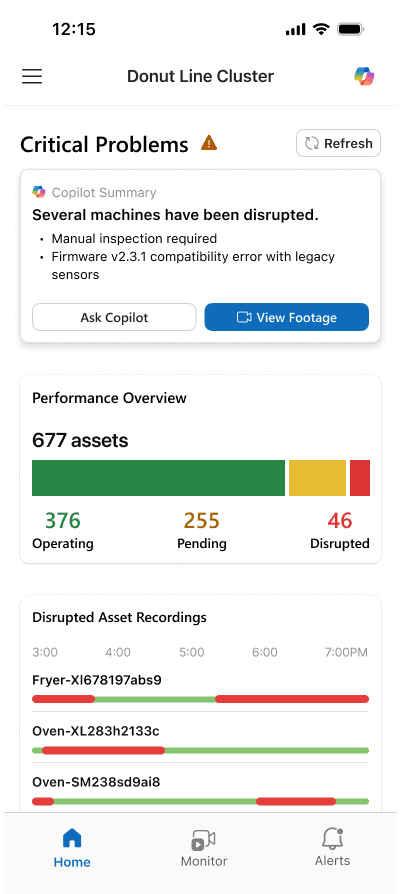
Understanding at a Glance
Copilot AI summary widget gives users quick understanding of production line status and necessary actions.
Priority-Based Alerts
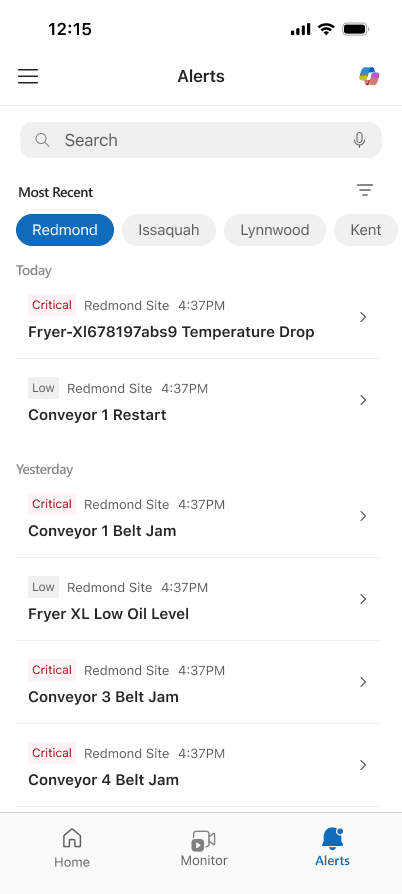
Alerts are prioritized based on urgency and communicates potential production impact in clear, simple language.
On-the-go Monitoring
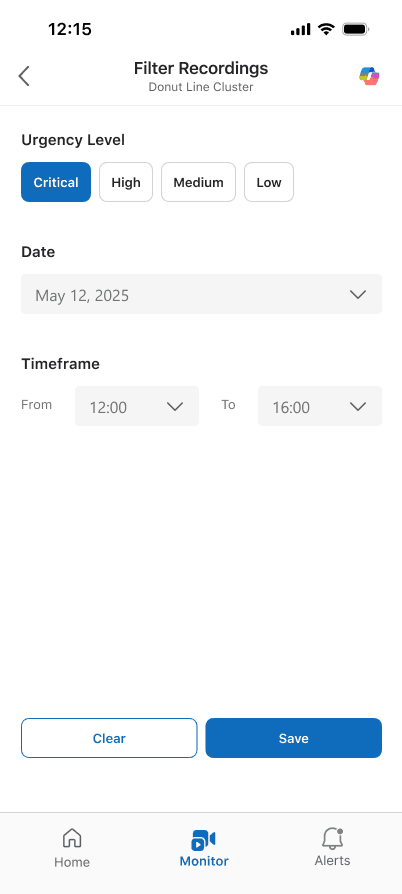
Users can manage machines remotely with live camera feeds. AI summaries highlight disruptions, allowing users to quickly assess issues and determine if an on-site visit is truly necessary.
Action from Anywhere
If an on-site visit is deemed unnecessary, users can restart machines and adjust settings directly from their phone.
Outcome
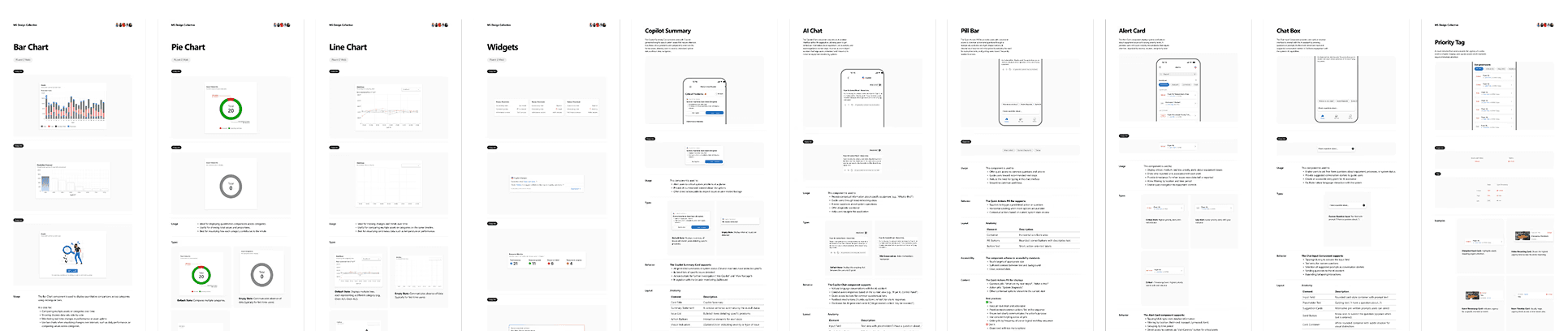
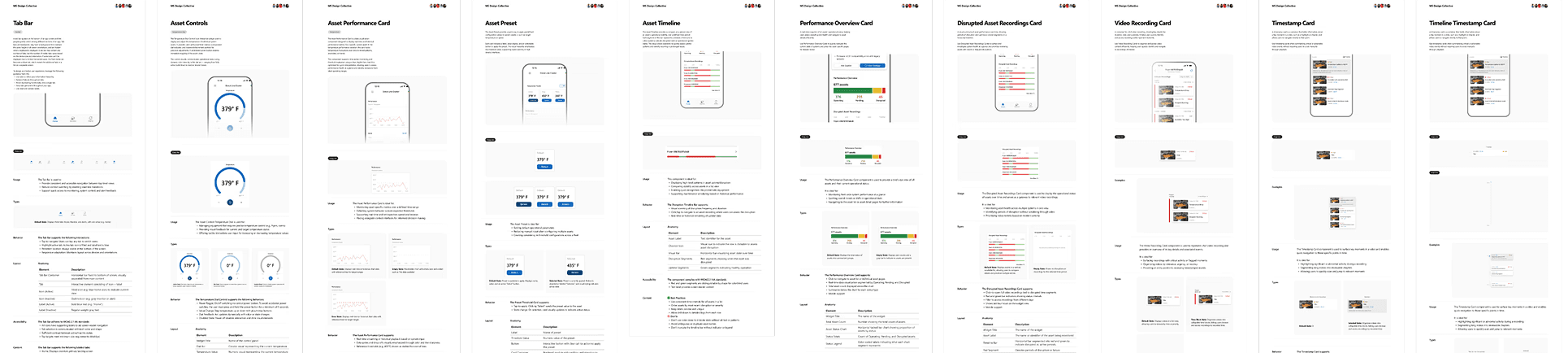
40+ New Design Patterns
We created 40 new desktop and mobile design patterns for Azure IoT, establishing a foundation for the future mobile interface. While not yet shipped, these patterns provide a clear framework to guide upcoming mobile development. During our handoff to the team, leadership praised the quality and breadth my team and I accomplished within 6 months.
Reflection
What I Learned
Goals are Platform-Specific
Approach painpoints with distinct solutions rather than direct translation. Though our users remained the same, their goals changed depending on their device.
Communicate Concisely
How can we convey maximum value with minimal words? Feedback from the Azure Iot team taught me to use words meaningfully to create quick understanding.
Accessible Communication
Initially, priority was communicated in colors (red, yellow, green). User feedback and concept validations revealed that pairing words with color tags ensured information is clear and inclusive for all users.