Trimble Inc. / Modus Design System
Unifying Products with Design Systems
I collaborated with senior designers to create an accessible, customizable design system that streamlined workflows for over 100 UX designers. I also independently animated component interactions to clearly communicate behavior and intent to developers and researchers.
Role
UX Design Intern
Timeline
13 weeks
Skills
Design System,
Atomic Design
Animated Prototyping
The Challenge
How might we create a design system that supports designers across diverse products while maintaining visual consistency?
With over 100 UX designers using inconsistent components across vastly different projects, Trimble Inc.’s products lacked cohesion and brand recognition. To unify Trimble's brand across diverse contexts and platforms, we asked: How might we create a design system that supports designers across diverse products while maintaining visual consistency?
Goals
What's Needed Across Diverse Products?
I talked to Product Managers across various teams and product to discover what they desired in a design system.
Customizability
Trimble’s products span B2B, B2C, and beyond, each with distinct needs and use cases. To support this diversity, components must adapt to different contexts while maintaining visual consistency.
Scalability
Each use case introduces different devices, from desktop to mobile and field tablets. Components must adapt seamlessly across screen sizes in every context.
Accessibility
Trimble products are used by people with diverse abilities and in varied environments. Components must meet accessibility standards through sufficient color contrast and clear interaction states to ensure usability for all users.
Approach
Atomic Design: What Is It and Why Use It?

What is Atomic Design?
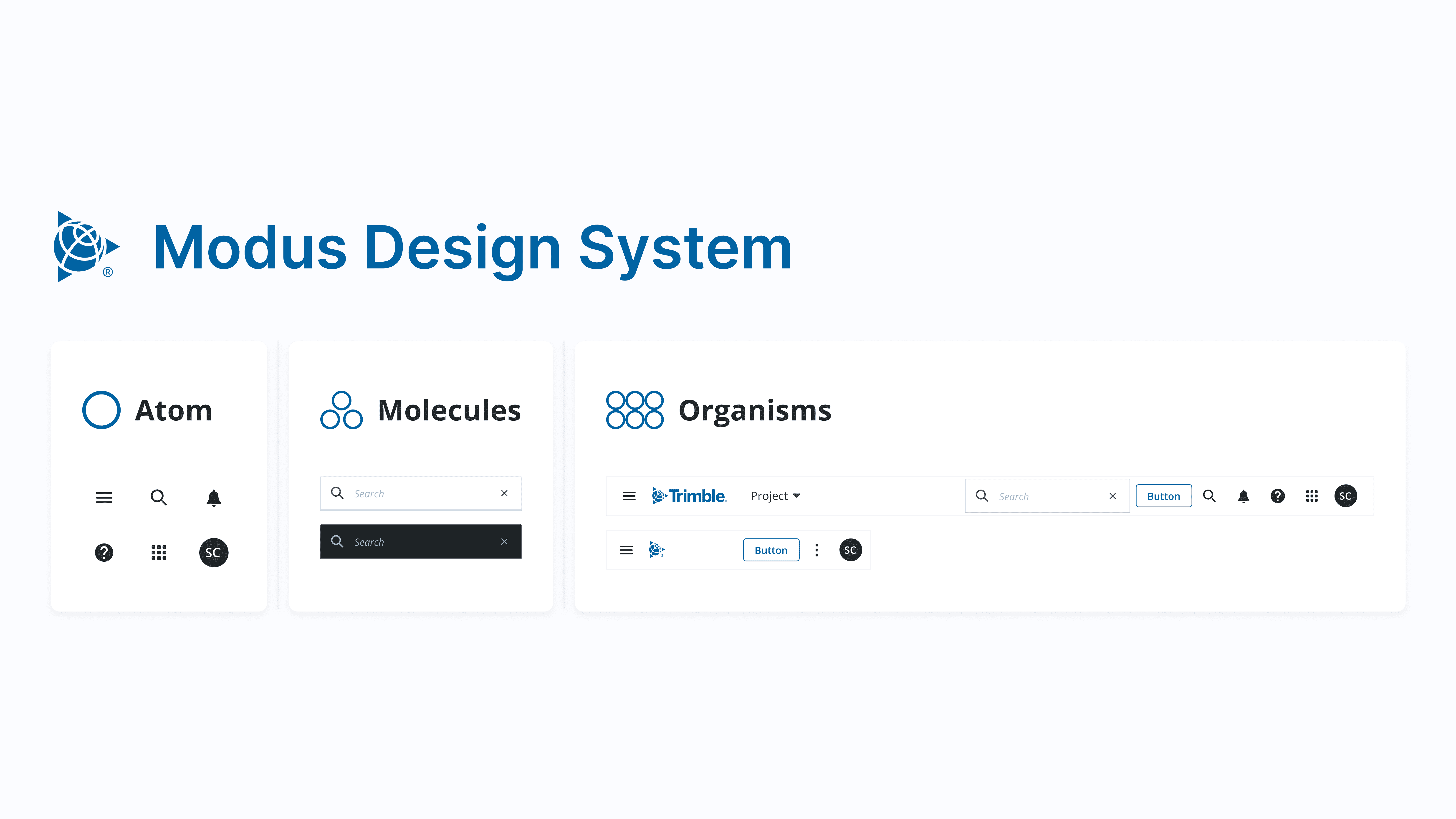
Atomic design is a framework that treats interfaces as modular building blocks. For example, a button is an atom, which combines with other atoms to form molecules like a navigation bar, and scales into larger design patterns and templates. This approach helps us create a consistent and scalable design system across products.
Why use Atomic Design for Trimble?
Defining reusable atoms like icons and buttons allows teams to build components and pages from a shared foundation. This makes it faster to customize designs while maintaining a cohesive Trimble brand across all products, ensuring consistency and flexibility.
Solution
From Atom to Organism: Creating Consistency and Customizability


Atomic Elements: Icons and Buttons
Icons and buttons were the foundation of our design system, the simplest elements that work together to create more complex components.

Molecule: Search Input
One example of a molecule is our search input component. It's a more complex element where multiple atoms work together to create functionality.

Organism: Navigation Bar
Taking it a step further, our navigation bar demonstrates how molecules and atoms come together to create more complex, yet cohesive components. This is the stage where recognizable design elements start to form.
Customizability with Figma Properties
As the next steps of atomic design—templates and pages—depends on each product, I focused on enhancing customizability with Figma properties. The ability to toggle on/off the desired features in each component allows our design system to give designers across products another level of customizability.

Scalable Components Across Devices
I used atomic elements to create mobile versions of components, establishing scalability for Trimble products.
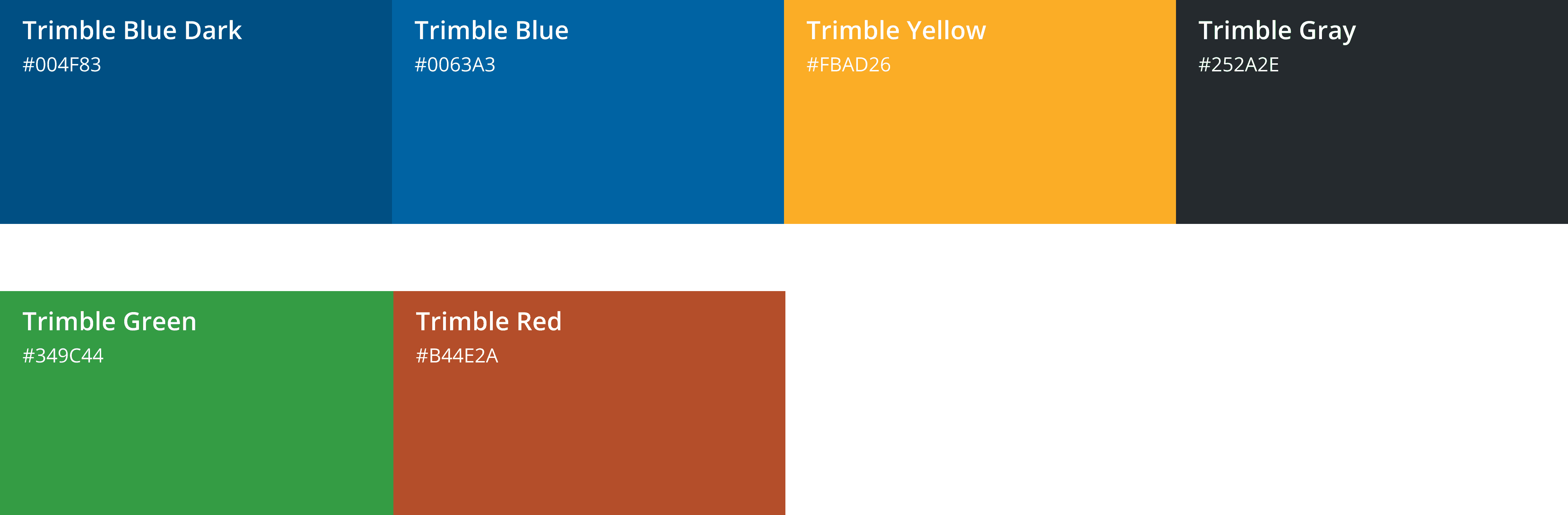
Accessible Interfaces via Color Contrasts
I established accessibility in accordance to WCAAG color contrast standards that ensure text and UI elements remain legible for all users, including those with visual impairments.
Impact
Unification Across 100+ UXers

Upon completing this project, the company launched its first design system, unifying the brand across products like SketchUp, Viewpoint, and many more. The completed design system is publicly available on Figma community. Click the button to try my work firsthand!
Reflection
What I Learned
Balancing Standardization with Customization
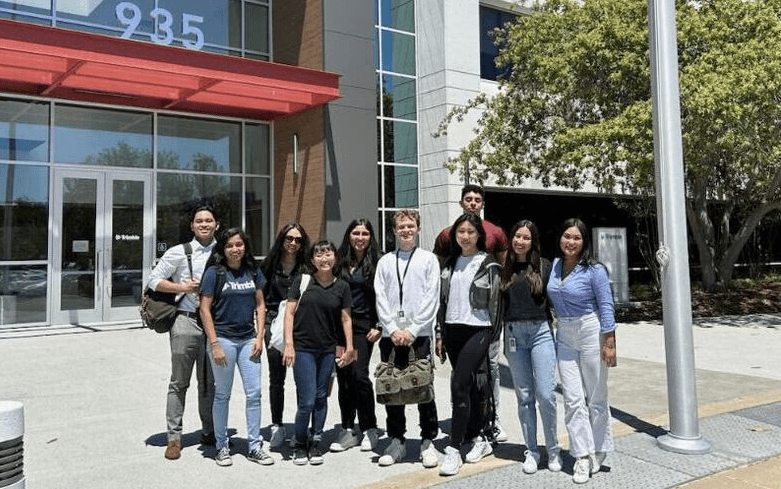
My first internship taught me how design systems are created, updated, and maintained with an accessibility first mindset. Before, I struggled with pixel pushing and approached UI design holistically. Having a large user group with different goals taught me how to balance standardization with customization at an atomic design level.
Becoming a Figma Wizard
The release of Figma variables pushed me to learn animated prototyping in more depth. I learned how to communicate interactions to developers through my designs and even hosted a workshop to teach other interaction designers how to use Figma variables. By the end of my internship, I mastered Figma's advanced features (autolayout, properties, variables, and more) and became a Figma wizard.